

Table of Contents

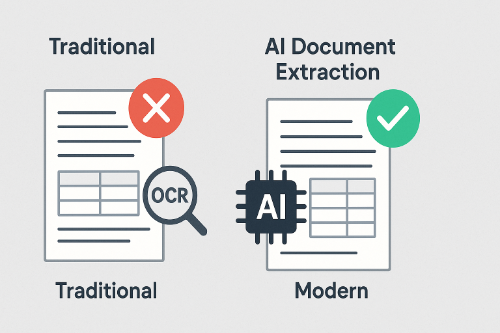
AI document extraction has moved from brittle templates and regex spaghetti to LLM document extraction that actually understands pages the way people do. Invoices with nested line items, contracts with cross-references, scientific PDFs with multi-column layout—modern multimodal LLMs can read them, reason about them, and output structured data you can trust.
Thank you for reading this post, don't forget to subscribe!This guide shows how to modernize your pipeline: where classic OCR still fits, where layout-aware parsing matters, how LLMs (e.g., GPT-4o, LLaMA-family, Qwen2-VL) turn messy documents into clean JSON/CSV, and how to stitch it all together with Python. You’ll also see patterns for invoices, legal and financial docs, and medical records, plus tips for governance and cost control.
1) WHY TRADITIONAL EXTRACTORS STRUGGLE (AND WHERE THEY STILL HELP)
OCR and PDF parsers (Tesseract, pdfplumber, PyPDF2) were built for text recovery, not meaning. They do fine on clean scans and simple layouts, but they fall over when documents have:
- Multi-column text and irregular reading order
- Complex tables (merged cells, multi-level headers, footnotes)
- Embedded visuals (charts, stamps, signatures)
- Inconsistent formatting across vendors or versions
- Domain jargon (legal clauses, medical shorthand, financial roll-ups)
That said, OCR still matters: it turns pixels into text. Think of OCR as the first mile. The rest—structure, relations, and context—is where LLMs shine.
2) MODERN STACK: AI DOCUMENT EXTRACTION POWERED BY LLMs
LLM document extraction uses large (or small, specialized) models that “read” content the way humans do:
- Context-aware: understands headers, footers, captions, and figure references
- Layout-aware: reasons about columns, indentation, and table geometry
- Multimodal: interprets text + images + charts together
- Schema-driven: outputs strict JSON or CSV that your system expects
Compared with template rules, LLMs generalize across vendors and formats. And with the right prompts, you can force structured outputs that are reliable enough for production.
Minimal links as requested: for deeper API details, see the official OpenAI developer docs and the Hugging Face model docs if you deploy locally.
3) PRACTICAL BLUEPRINT: LAYOUT → UNDERSTANDING → STRUCTURED OUTPUTS
Step A — Acquire & Normalize
- Convert PDFs and images to a consistent container (PDF/PNG).
- If images: run base OCR (only to help the model; don’t trust it blindly).
- De-noising: deskew, de-shadow, increase contrast where needed.
Step B — Layout-Aware Segmentation
- Detect regions: title, paragraphs, tables, sidebars/notes.
- Preserve table blocks intact—never split rows mid-cell.
- Extract reading order per page (left-to-right, top-to-bottom with column logic).
Step C — LLM Understanding & Schema Extraction
- Prompt the model with task + schema (fields you want, types, and rules).
- For tables, instruct: “return Markdown table OR return rows[] with strict headers.”
- For complex docs, do two passes: (1) block classification (what is this?) (2) field extraction (get the numbers/strings/dates).
Step D — Validation & Post-Processing
- Validate JSON against a schema (required fields, value ranges, formats).
- Apply domain rules (totals = sum(line_items), dates in range, currencies match).
- Store provenance (doc id, page, bbox), so every value is traceable.
Step E — Feedback Loop
- Track errors, add few-shot examples to prompts, and maintain a small test set.
- When drift hits (new vendor layout), the system adapts by prompt tweaks, not code rewrites.
4) OPENAI VISION EXAMPLE (GPT-4O FAMILY): CLEAN STRUCTURED OUTPUTS
Find the exact request/response schemas in the OpenAI Docs.
# llm_extract_openai.py — Multimodal extraction with structured JSON
import base64, os, json, requests

OPENAI_API_KEY = os.getenv("OPENAI_API_KEY")
API_URL = "https://api.openai.com/v1/chat/completions"

def b64(path):
    with open(path, "rb") as f:
        return base64.b64encode(f.read()).decode("utf-8")

SCHEMA = {
  "type":"object",
  "properties":{
    "doc_type":{"type":"string"},
    "entities":{"type":"object",
      "properties":{
        "vendor":{"type":"string"},
        "invoice_id":{"type":"string"},
        "date":{"type":"string"},
        "currency":{"type":"string"}
      }, "required":["vendor"]},
    "line_items":{"type":"array","items":{
      "type":"object",
      "properties":{
        "description":{"type":"string"},
        "qty":{"type":"number"},
        "unit_price":{"type":"number"},
        "total":{"type":"number"}
      }, "required":["description"]}},
    "totals":{"type":"object",
      "properties":{
        "subtotal":{"type":"number"},
        "tax":{"type":"number"},
        "grand_total":{"type":"number"}
      }}
  },
  "required":["doc_type","entities","line_items"]
}

def extract_invoice(image_path):
    headers = {"Authorization": f"Bearer {OPENAI_API_KEY}",
               "Content-Type": "application/json"}
    img_b64 = b64(image_path)
    prompt = (
        "You are a document extraction system. "
        "Return ONLY JSON that validates against the provided schema. "
        "Infer numeric fields. If a value is missing, use null."
    )
    payload = {
      "model": "gpt-4o-mini",   # or an available multimodal model
      "messages": [{
        "role": "user",
        "content": [
          {"type":"text","text":prompt},
          {"type":"input_text","text":json.dumps(SCHEMA)},
          {"type":"image_url","image_url":{"url": f"data:image/png;base64,{img_b64}"}}
        ]
      }],
      "temperature": 0.0,
      "max_tokens": 800
    }
    r = requests.post(API_URL, headers=headers, json=payload, timeout=60)
    r.raise_for_status()
    data = r.json()["choices"][0]["message"]["content"]
    # Models may return a code fence; strip if needed:
    data = data.strip().strip("`").strip()
    return json.loads(data)

if __name__ == "__main__":
    out = extract_invoice("sample_invoice.png")
    print(json.dumps(out, indent=2))
What to notice:
- The prompt forces JSON to match your schema.
- Use
temperature=0.0to reduce variance. - Validate the JSON server-side before inserting into your DB.
5) LOCAL MODEL EXAMPLE (QWEN2-VL / LLAMA-FAMILY): PRIVATE & FLEXIBLE
See Hugging Face docs for install notes if you deploy locally.
# llm_extract_local.py — Local multimodal example (caption+extract)
from PIL import Image
import torch
from transformers import AutoProcessor, Qwen2VLForConditionalGeneration

MODEL_ID = "Qwen/Qwen2-VL-7B-Instruct"  # choose an available instruct multimodal variant
device = "cuda" if torch.cuda.is_available() else "cpu"

processor = AutoProcessor.from_pretrained(MODEL_ID)
model = Qwen2VLForConditionalGeneration.from_pretrained(
    MODEL_ID,
    torch_dtype=torch.bfloat16 if device=="cuda" else torch.float32,
    device_map="auto"
)

SCHEMA_GUIDE = """
Return JSON with fields:
doc_type, entities{vendor, invoice_id, date, currency},
line_items[{description, qty, unit_price, total}],
totals{subtotal, tax, grand_total}
"""

def extract_local(image_path):
    img = Image.open(image_path).convert("RGB")
    chat = [
        {"role":"system","content":"You convert documents into structured JSON."},
        {"role":"user","content":[
            {"type":"text","text": "Extract fields according to this schema, return ONLY JSON."},
            {"type":"text","text": SCHEMA_GUIDE},
            {"type":"image","image": img}
        ]}
    ]
    prompt = processor.apply_chat_template(chat, add_generation_prompt=True)
    inputs = processor(text=[prompt], images=[img], return_tensors="pt", padding=True).to(device)

    with torch.no_grad():
        gen = model.generate(**inputs, max_new_tokens=512, temperature=0.0)
    text = processor.batch_decode(gen, skip_special_tokens=True)[0]
    # post-process to isolate JSON if needed
    start = text.find('{'); end = text.rfind('}')
    return text[start:end+1]

if __name__ == "__main__":
    print(extract_local("sample_invoice.png"))
Why run local? Privacy, data residency, and cost control. You can also fine-tune small adapters for your domain to boost accuracy on recurring formats.
6) IN-THE-WILD USE CASES (AND HOW TO SPEC THE SCHEMA)
A) Invoices & Receipts (Finance Ops)
- Keys: vendor, invoice_id, dates, currency, line_items[desc, qty, price, total], tax, grand_total.
- Rules: grand_total ≈ subtotal + tax ± discounts; date formats normalised; currency codes enforced.
- Edge cases: long descriptions, multi-page tables, scanned stamps.
B) Contracts & Legal Docs (Clause Mining)
- Keys: parties, effective/termination dates, obligations, payment terms, indemnity, governing law.
- Rules: cross-reference resolution (clause 4.2 → actual text); citation with page/paragraph ids.
- Edge cases: amendments, exhibits, metadata in footers.
C) Medical Records (Clinical Notes + Labs)
- Keys: patient_id, encounter_date, diagnoses (ICD-10), medications (dose/frequency), lab results with units.
- Rules: unit normalization (mg vs mcg), reference ranges, clinician attribution.
- Edge cases: handwriting scans, mixed language abbreviations.
D) Enterprise Docs (HR / Sales / Support)
- HR: candidate resume fields; onboarding checklist status.
- Sales: quote → order mapping, renewal dates, discount approvals.
- Support: ticket summaries, root causes, SLA timers.
For each domain, write a JSON schema that encodes your truth. LLMs then become schema-fillers rather than free-form text generators.
7) MULTIMODAL & LAYOUT TACTICS THAT MOVE THE NEEDLE
- Block classification first, extraction second: separate what is it? from what’s inside it?
- Header/row alignment: ask the model to list table headers it found, then map each row to those headers.
- Two-hop prompts: if the page is busy, first ask for a page map (regions + types), then request specific fields by region id.
- Markdown tables for QA: easy to eyeball and diff in PRs before converting to JSON rows.
- Confidence flags: have the model return
confidenceper field; route low-confidence results to manual review or a second model.
8) QUALITY, COST, AND GOVERNANCE
Quality controls
- Validate JSON (required fields, types, value ranges).
- Add back-checks (do totals add up? do dates make sense?).
- Keep a golden set (10–50 docs) and run nightly evals.
Cost controls
- Use thumbnail or cropped regions for page areas that matter.
- Cache prompts for recurring vendors.
- Batch uploads during off-peak hours.
Governance
- Log provenance (doc_id, page, bbox, model version).
- Redact PII where required.
- Version prompts and schemas; review changes like code.
9) FAQ: AI DOCUMENT EXTRACTION
Do I still need OCR?
Yes—for raw scans. But treat OCR text as a hint, not the source of truth. Let the multimodal model reconcile visual and textual cues.
How do I handle multi-column PDFs?
Ask the model to output a reading order or page map first; then reference region ids when extracting fields.
What if my docs vary a lot?
That’s where LLMs beat templates. Keep a flexible schema, and update few-shot examples when a new variant appears.
Local vs cloud?
Cloud is easiest to start; local is best for privacy or edge constraints. Many teams do a hybrid: cloud for hard pages, local for common ones.
10) TL;DR
- AI document extraction with LLMs turns chaotic PDFs, tables, and scans into clean, structured data.
- Combine layout-aware parsing + multimodal models + strict JSON schemas + validation.
- Start with one or two document types, instrument quality, iterate your prompts/schemas, and scale from there.
INTERNAL RESOURCES
- The Next AI Boom (2025) — What Comes After AI Agents and Agentic AI?
- GPT-5 Upgrade Guide (2025): The Essential Playbook for Smarter Coding
CALL TO ACTION
The next step is turning these ideas into shareable, open-source tools.
I’m planning a lightweight starter project with schema validation, JSON pipelines, and provenance logging.