

Table of Contents

Why This GPT-5 Upgrade Guide Matters
The GPT-5 Upgrade Guide (2026) is here to help developers, AI engineers, and tech enthusiasts move from older models like GPT-4 or GPT-4o to OpenAI’s most advanced system yet.
Thank you for reading this post, don't forget to subscribe!OpenAI’s GPT-5 brings improvements in reasoning, long-context handling, and coding accuracy. It also introduces new parameters like reasoning_effort and verbosity, giving you more control over performance, speed, and cost.
If you’re running GitHub Copilot, Python automation scripts, or production APIs, this upgrade guide will show you:
- What’s new in GPT-5
- How to migrate safely from older models
- How to cut costs with Prompt Caching and Batch API
- How to set up GPT-5 in GitHub Copilot
- Prompt patterns that actually work better in GPT-5
By the end, you’ll have a clear roadmap to modernize your AI stack and a runnable demo repo to test GPT-5 locally.
What’s New in GPT-5 (Upgrade Guide at a Glance)
OpenAI positioned GPT-5 as the most capable model for reasoning and coding. Here are the biggest changes you need to know from this GPT-5 Upgrade Guide:
- Coding accuracy → GPT-5 delivers stronger bug-fixing, refactoring, and multi-file reasoning. It outperforms GPT-4 on benchmarks and handles front-end code much better.
- Control knobs:
reasoning_effort:minimal | low | medium | high— control how deeply GPT-5 reasons.verbosity:low | medium | high— control how much detail the model outputs.
- Massive context windows: Up to 400k tokens (input + reasoning/output). This means you can feed entire repos, long technical documents, or even books directly.
- Structured Outputs: Generate strict JSON by schema. No more regex hacks for parsing.
- Three SKUs:
gpt-5→ maximum reasoninggpt-5-mini→ faster, cheaper, great for daily usegpt-5-nano→ lightweight routing and filters
👉 Read more in the official OpenAI Developer Docs.
Migration Map: Step-by-Step GPT-5 Upgrade Guide
Upgrading to GPT-5 doesn’t have to break your pipeline. Follow this simple 6-step migration plan:
1. Pin Your Model Names
Switch from gpt-4, gpt-4o, or previews → to gpt-5, gpt-5-mini, or gpt-5-nano. Always confirm availability at the OpenAI Models page.
2. Switch to the Responses API
OpenAI is moving forward with the Responses API, where new features land first (Structured Outputs, caching, Batch API). If you’re still on Completions, migrate.
3. Use Structured Outputs for Safety
Instead of free-form text parsing, enforce strict JSON schemas. This makes automation, testing, and integration much safer.
4. Adopt Prompt Caching
Stable prompts (system or policy) can be cached, reducing latency and cost on repeat calls. Perfect for workflows like chatbots or document Q&A.
5. Run Bulk Jobs with Batch API
The Batch API lets you queue jobs asynchronously (nightly or offline). It’s up to 50% cheaper compared to synchronous calls.
6. Validate with CI + Tests
Never switch models blindly. Add tests:
- Compare GPT-5 vs GPT-5 mini side by side.
- Use CI pipelines to block bad JSON or unsafe changes.
Copy-Paste Python from the GPT-5 Upgrade Guide
Here’s a Python starter script you can copy directly. It uses Responses API + Structured Outputs to refactor code and add pytest tests.
import os, json
from openai import OpenAI

SCHEMA = {
  "type":"object",
  "properties":{
    "refactor_summary":{"type":"string"},
    "changed_files":{"type":"array","items":{"type":"string"}},
    "tests_added":{"type":"integer"},
    "next_steps":{"type":"array","items":{"type":"string"}}
  },
  "required":["refactor_summary","changed_files","tests_added","next_steps"],
  "additionalProperties":False
}

client = OpenAI(api_key=os.getenv("OPENAI_API_KEY"))

resp = client.responses.create(
  model="gpt-5",
  reasoning={"effort":"low"},   # minimal | low | medium | high
  verbosity="low",              # low | medium | high
  input=[
    {"role":"system","content":"You are a senior Python engineer. Return ONLY JSON per schema."},
    {"role":"user","content":[
      {"type":"text","text":"Refactor this and add 3 pytest tests."},
      {"type":"input_text","text":open("examples/foo.py").read()}
    ]}
  ],
  text={"format":"json_schema","schema":SCHEMA}
)

print(resp.output_text)
This GPT-5 Upgrade Guide code snippet:
- Uses Structured Outputs → safe JSON
- Leverages
reasoning_effort="low"to balance cost & quality - Keeps verbosity concise for pipelines
Cost & Latency Tips from the GPT-5 Upgrade Guide
One of the biggest concerns for teams adopting GPT-5 is cost. Here’s how to keep bills down:
- Start with
minimalorloweffort → use high only when needed. - Use
verbosity="low"→ saves tokens and reduces cost. - Prompt Caching → ideal for bots, assistants, or repeated workflows.
- Batch API → cheaper for large doc sets, nightly backfills, or evaluations.
- Pick the right SKU:
gpt-5→ advanced reasoning tasksgpt-5-mini→ daily workhorsegpt-5-nano→ light, fast routing
GPT-5 Upgrade Guide for GitHub Copilot
Developers spend much of their time inside IDEs. GPT-5 makes GitHub Copilot smarter and more reliable.
- Enable GPT-5 in the model picker (or GPT-5 mini for faster edits).
- Use
copilot-instructions.md→ define coding style, testing rules, and preferred frameworks. GPT-5 follows these repo instructions more consistently. - Combine with CI pipelines → let GPT-5 draft code, then enforce tests and style checks automatically.
This GPT-5 Upgrade Guide ensures your Copilot setup produces cleaner PRs and better tests, not just faster code.
Prompt Patterns That Shine in GPT-5
Not all prompts are equal. Here are patterns that work much better with GPT-5:
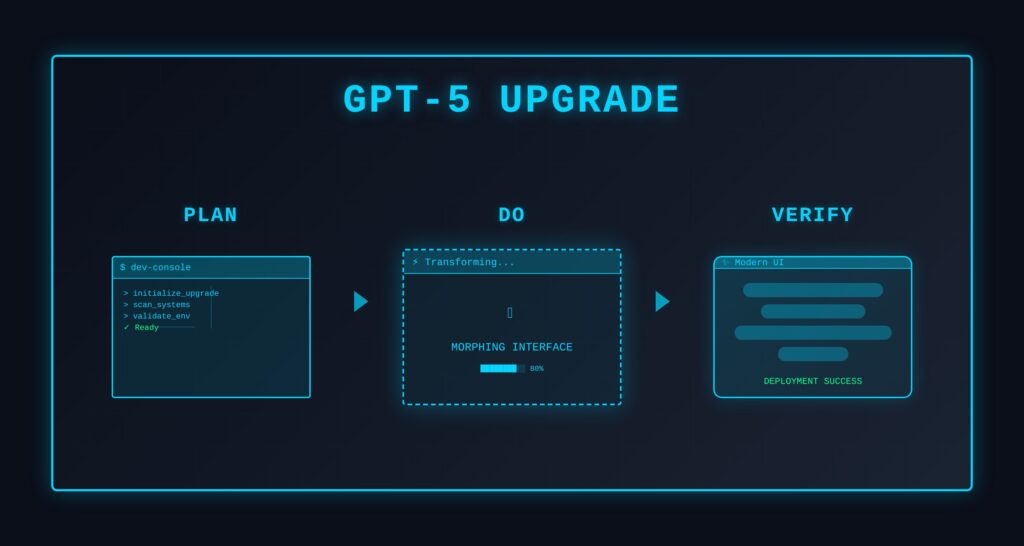
- Plan → Do → Verify
Ask GPT-5 to generate a plan, implement, and then verify with tests. - Long-context retrieval
Use retrieval alongside the 400k window. Load whole repos, then only query relevant chunks. - Strict schemas
Always wrap outputs in JSON schemas. Safer, easier to parse, CI-friendly. - Structured conversations
Keep system prompts stable (helps caching) and vary only user instructions.
FAQs: GPT-5 Upgrade Guide
Q: How big is the GPT-5 context window?
Up to ~400k total tokens (input + reasoning/output).
Q: Which GPT-5 model should I use?
gpt-5→ deep reasoning and agentsgpt-5-mini→ cheaper, daily coding tasksgpt-5-nano→ routing, lightweight tools
Q: How do I reduce costs when upgrading?
Leverage Prompt Caching, Batch API, and select the correct model size.
Q: Does this GPT-5 Upgrade Guide replace GPT-4o?
Yes — for most dev workflows, GPT-5 is now the recommended default. Use GPT-4 only if your org hasn’t validated GPT-5 yet.
Clone-and-Run Demo Repo
To make this guide practical, here’s a runnable demo repo packaged for you:
👉 Download GPT-5 Upgrade Demo Repo (ZIP)
Contents:
src/gpt5_upgrade_demo.py→ one-shot refactor + testssrc/bench/benchmark.py→ compare latency & token usageexamples/foo.py→ sample functiontests/test_examples.py→ pytest demorequirements.txt,.env.example, README.md
Quickstart:
unzip gpt5-upgrade-playbook.zip && cd gpt5-upgrade-playbook
python -m venv .venv && source .venv/bin/activate
pip install -r requirements.txt
export OPENAI_API_KEY=sk-REPLACE_ME
python src/gpt5_upgrade_demo.py --file examples/foo.py
Final Thoughts on the GPT-5 Upgrade Guide
GPT-5 is more than just another model release — it’s a shift in how developers use AI. With 400k context windows, Structured Outputs, and cost-saving APIs like Prompt Caching and Batch, this GPT-5 Upgrade Guide helps you modernize without burning budget.
Whether you’re a solo developer, a startup, or an enterprise team, the path is clear: migrate now, validate with CI/tests, and get ahead of the curve.
📖 Explore more in the official OpenAI Documentation.